16

I have FiOS internet (200 Mbps up/down service), via an Ethernet cable entering my house from one of their ONT boxes outside. I would love to have it available at each of the wall plates in my house. When the Verizon tech did the install, he looked behind one of the wall plates and said "your house is wired for CAT5 but I don't know where the access point is," and just plugged the cable into a router in the back of the house.

I've since done some investigating, checking behind each wall plate. First, I think he's wrong about the CAT5: every non-coax cable is stamped CAT3, though some have 2 pairs of wires and some have 4 pairs. Second, I also can't find non-coax splitters in any obvious locations, including behind the wall plates, in the outlet boxes. Here's what's behind each wall plate:

  • Basement: Two 2-pair CAT3, two coax connected to a 2-way splitter
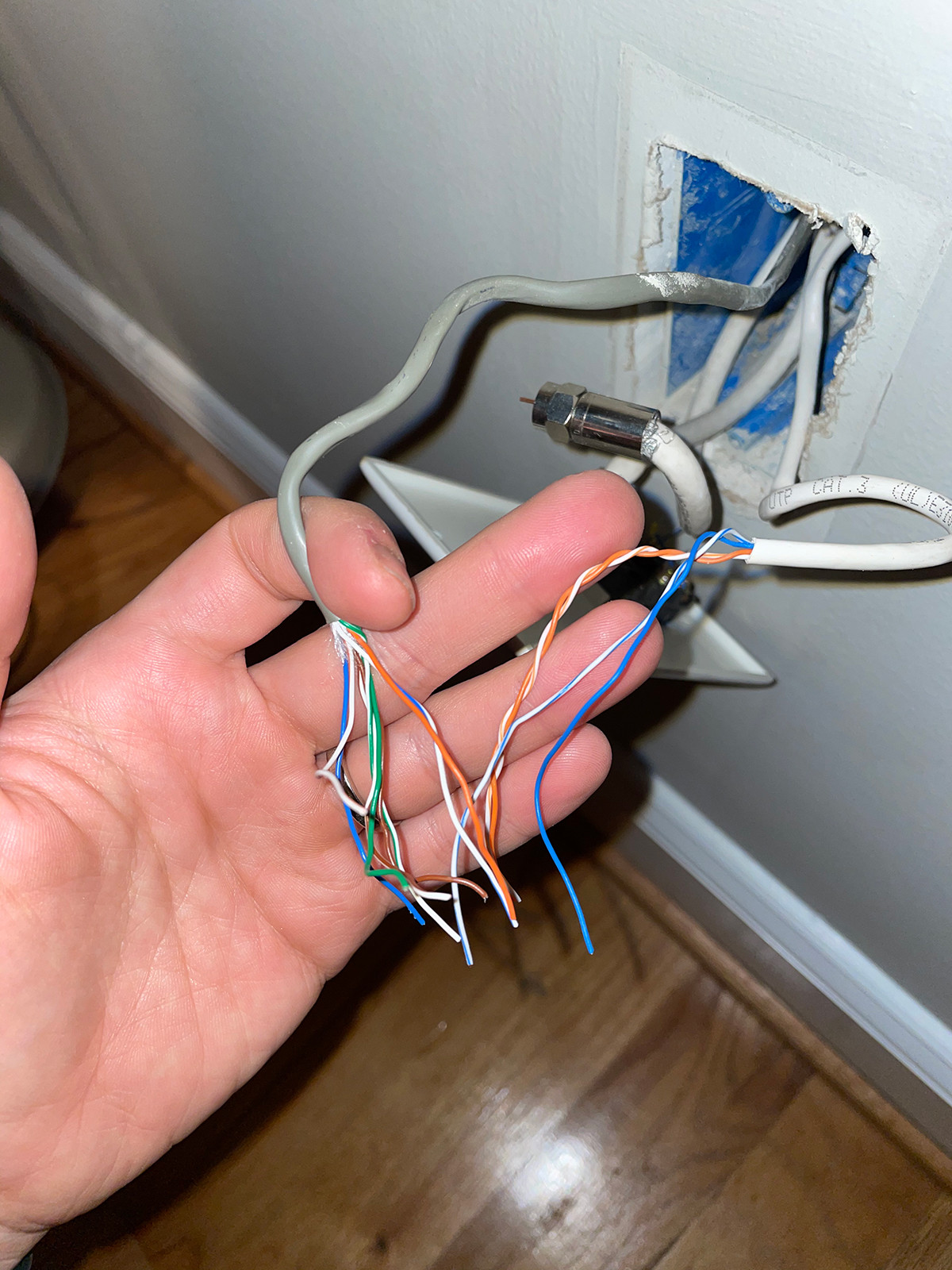
  • Living room: One 2-pair CAT3, one 4-pair CAT3, two coax (the previous homeowner had a router that was previously connected to one of these coax cables). Pictured, in case helpful: loose wires coming out of a wall
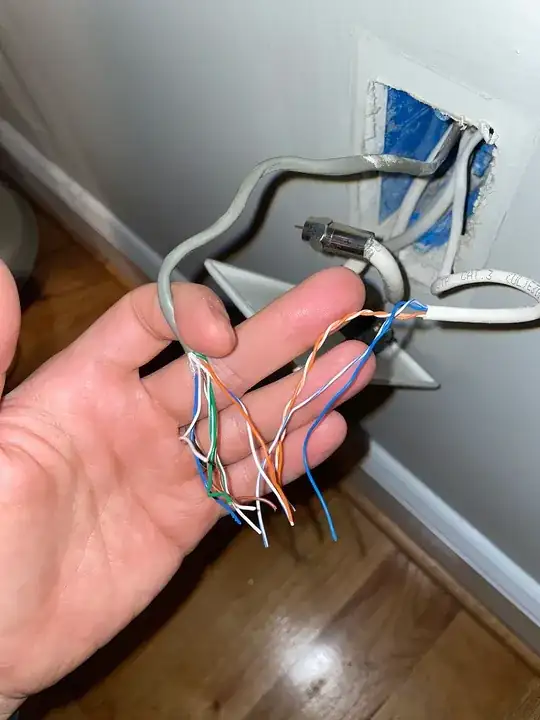
  • Bedroom 1: Two 4-pair CAT3, two coax
  • Bedroom 2: One 4-pair CAT3, one coax

So my questions are:

  • Can I use these cables for internet?
  • If so, how would I hook it up? Where is the splitter?

It would be great to have the outlets providing internet, though I gather that CAT3 is slow. A reduction in speed wouldn't be terrible, if it's more reliable than getting wireless across the house, and has low latency for video conferencing.

TylerH
  • 1,086
  • 1
  • 11
  • 22
Mr. W.
  • 299
  • 1
  • 2
  • 6

7 Answers7

28

A Definite Maybe...

Harper's answer gives a good overview of the general setup of a wired home network. There are two separate issues in your particular case that complicate things:

CAT 3

CAT 3 is nominally rated for 10 Mbps. It may be able to handle 100 Mbps. But it is not officially designed for that, and there are actual differences between CAT 3, CAT 5, CAT 5e, CAT 6, etc. that make the newer cable types able to handle higher speeds. Forget Gigabit networking on CAT 3, but the vast majority of home users simply don't need that unless they are doing true networking between their computers - for myself the only time I truly need it is when I am replacing a computer and need to transfer everything over the wire (and there are ways around that too)).

The big catch is that if you hook things up with CAT 3 and it can't handle the desired 100 Mbps then there are two possible things that could happen:

  • Downgrade to 10 Mbps - This is actually fine for a lot of uses. May not work well for 4K video, but probably work fine for most other things. That's still 6x the speed of standard DSL of just a few years ago, and is for each device in the network, not shared like a DSL connection.
  • Errors. Lots and lots of errors. Get an error once every minute and it is no big deal. Get errors every other packet and it is a different story. A lot of things will go into this calculation, but mostly dependent on the quality of the cable (CAT 3 is all the same, but how good are the connections, the network cards, switches, etc.)

A switch that lets you force 10 Mbps. can solve the problem, but your typical cheap unmanaged switches these days don't have that capability. Many network cards have that capability, if you know where to find it.

Wiring Topology

Twisted-pair Ethernet is based on a hub/spoke topology. A bunch of devices connect to a central location - hub or switch (these days, almost always a switch). If your house is set up for that then each of those CAT 3 cables has the other end in one location - typically in the basement, but could be anywhere.

However, plain old telephone service (POTS) is often installed daisy-chained to save on cabling costs. You might have one cable going to bedroom 1 with another cable connected to that one (call it a splitter or whatever you want) and from there to bedroom 2. While POTS doesn't need even CAT 3, it was quite common 25 - 30 years ago to simply use CAT 3 for everything (why stock two cable types) and a little later to use CAT 3 (especially if you had a few boxes lying around) for POTS and CAT 5 for networking.

Since you have some rooms with 2 cables in each location and some with 1 cable in each location, that indicates a real possibility of daisy-chained cables.

manassehkatz-Moving 2 Codidact
  • 139,495
  • 14
  • 149
  • 386
14

I'm surprised no-one mentioned MoCA (http://www.mocalliance.org/) Depending upon the need for his coax cabling, he might be able to re-purpose it for network usage.

Also, Not nearly all routers provide PoE, if it's needed, the OP will want to ensure the router or switch he gets provides it. If not there are PoE injectors that can take it's place.

George Anderson
  • 23,304
  • 5
  • 41
  • 83
7

Ethernet splitters are powered.

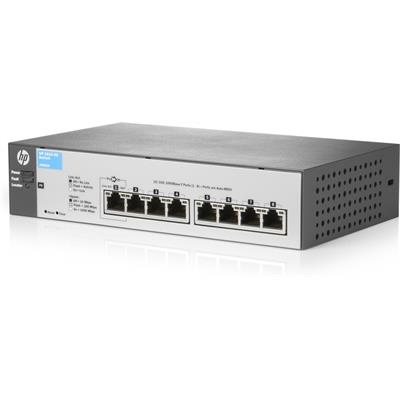
Ethernet uses powered splitters called "Hubs", at their most basic. But they are largely deprecated for Switches, which wire up like hubs, but give each port its own "nano-network" and does packet switching, so every packet only goes out to the ports it needs to, reducing congestion. Because it gives each port its own physical network, a switch can run each port at a different speed to suit the other end. A "router" is a switch with ability to do "NAT", firewall, network splitting (guest network etc.) and a bridge to WiFi, all in one box.

enter image description here

All of them need electricity... but there's a thing called PoE (Power Over Ethernet) that can help by getting power to places it isn't. (not much power, but enough to run a router/switch). Only some routers and switches support PoE, and far fewer support PoE as a means to power themselves.

Ethernet can work on Cat 3 cable

If possible you punch down all 8 wires, but if the cable only has 4 wires, you can get by with wires 1, 2, 3 and 6. You have to put the wires in the right places.

Ethernet has 4 versions: 10 megabit, 100 Mbit, 1000 Mbit and 10,000 Mbit. Cat 3 will limit your speed to 100 Mbit if you are lucky. (having only wires 1,2,3,6 would limit you to 100Mbit even if you had Cat6). I worked for a company that invented 100BaseT. I'm not sure our standard won, but ours worked on Cat3.

Your 200 Mbit FiOS connection is insane overkill for normal internet use. Even 4K video needs only 15 Mbit. Honestly even at 10 Mbit, the Internet will be totally usable - the major bandwidth hog is streaming video, and that'll work, just not at 4K.

I wouldn't lose any sleep over it, but obviously if you're swerving out of your way to get 200 Mbit FIOS, you must have a reason to need so much bandwidth. You'll have to see if you can get away with 100 Mbit on your Cat3, or fish new wires.

Hook the wires to punchdown blocks. Put them in faceplates.

https://www.youtube.com/watch?v=0gxNZoPcnP4

Back at your hub location, they make blocks which have a number of Ethernet sockets in a row. Punch all your ethernet cables down to those, then use jumper cables to connect from the punch-down block into the router or switch. There are plenty of pages and videos on how to do that.

Harper - Reinstate Monica
  • 313,471
  • 28
  • 298
  • 772
1

If you do not want to get involved in a huge project of rewiring ethernet, your best bet is figuring out the optimal locations in the house for a couple of wifi transmitters and setting them up in a WDS network. One location will be reachable to the ONT and the other location will be as far away from that as you can get. You can use ethernet-over-powerline adapters to connect to the remote wifi which work quite well in a residential setting and are 100Mbt.

I setup 3 transmitters in our vacation house for ideal coverage. I did run ethernet to 2 of them using existing phone lines which were fortunately not stapled where they passed through floors so I used the trick of pulling the new cable through using the old cable. The 3rd is next to the cable modem.

Pulling ethernet cable is not as hard as it's made out to be.

Ted Mittelstaedt
  • 1,783
  • 4
  • 7
1

As @manassehkatz-Moving 2 Codidact said, you can theoretically use Cat 3 for 10 Base T. The problem is that finding 10 Base T adapters (and such) is difficult at best.

There is also an officially approved 100 Base-T4 standard for doing 100 Mbps over Cat 3 wire. Unfortunately, it's probably even more difficult to find 100 Base T4 adapters than 10 Base T adapters.

I wouldn't consider either of those particularly practical.

There are a couple of others that seem more practical to me. One is MoCA, which has already been mentioned. I haven't tried this, but if the building is wired for television cable, it apparently works pretty nicely.

The other would be network over your power cabling. This uses your electrical wiring to also carry network signals. I use this in my house, and it works pretty well for me. You can get these in a variety of speeds up to around 1.2 gigabits per second, but slower versions are a bit less expensive. The biggest problem I see here is lack of standardization, so one vendor's parts don't necessarily work with another vendor's. In some cases, you can't even mix different speeds of adapters from the same vendor (but I believe most vendors do at least maintain backward compatibility with their own older designs).

1

Id point out that with coax, when installing 10Mbit thin coax there were no spliters, the coax typically daisy chained around every device, in a single collision domain. the length limits on branches are extremely short, less than an inch in the branch of the T going into the card if I remember.

There are modern coax ethernet protocols that may work if the topology is correct, but if the topology is a daisy chain on the coax as would have been the case installing 10Mbit thin coax ethernet, this is probably useless.

Id frankly at least try running the ethernet over the cat3 and see what happens. Most network devices will get the best they can out of the cable dropping the speed if the error rate is too high. It will probably work - it wouldn't surprise me if it connects at gigabit. Yes it may be out of spec, and the length runs may be longer than 100M allows, but the length doesn't always matter much if you use all switches with no hubs. I can't remember the last time I saw a hub. If the UTP was ever intended for ethernet it is almost certainly a star config, which is what you want

camelccc
  • 111
  • 1
1

Migrating OP's solution/response from their question to an answer:

I took a little bit from column A, and a little bit from column B.

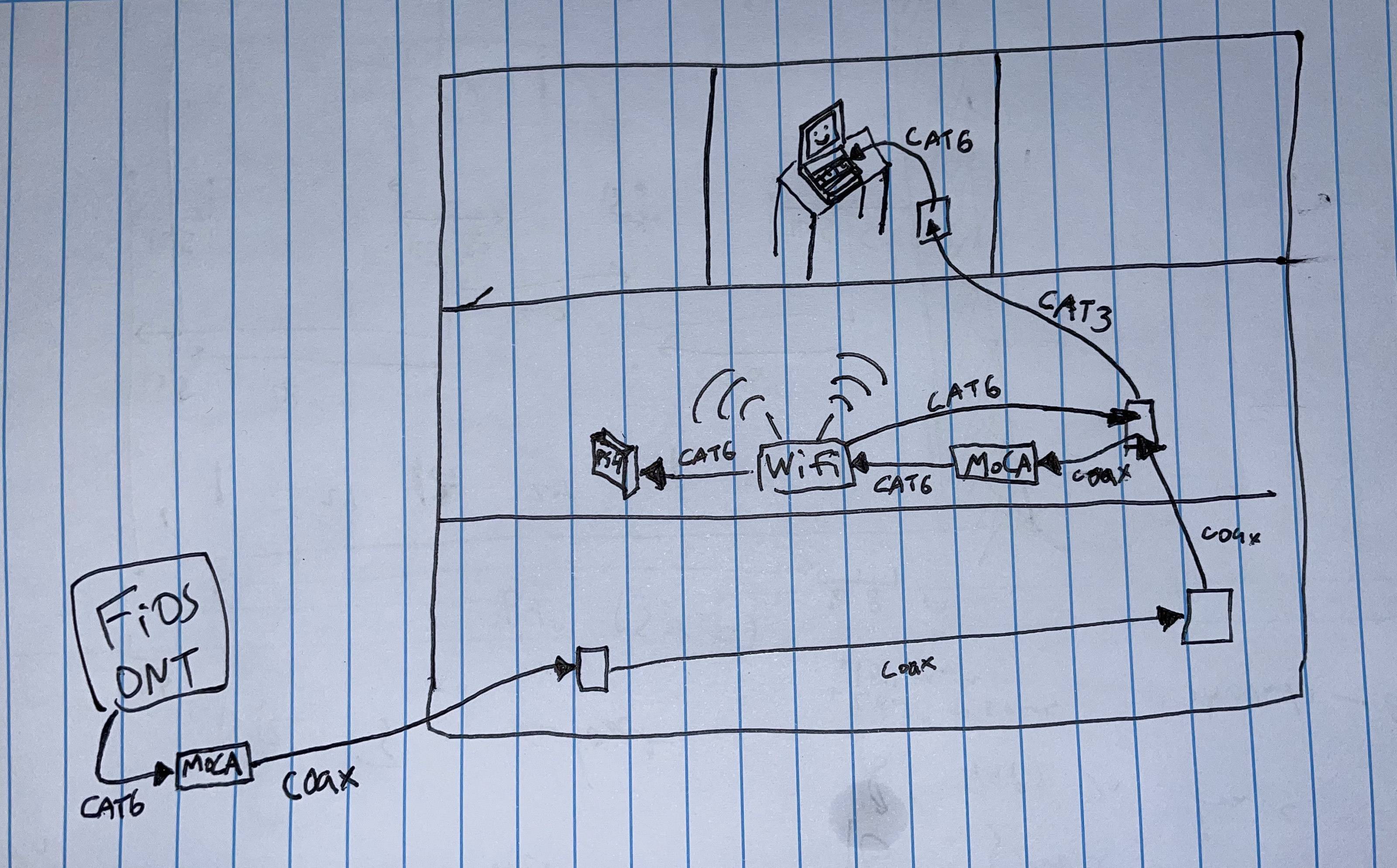
I got a cheap tone and probe kit to confirm that the coax and CAT3 daisy-chained through the whole house. And I'm using two MoCA bridges to convert the FiOS signal from Ethernet to coaxial, snaking through the house and converting back into a Wi-Fi router. Ethernet out from the router goes back into the wall, traveling upstairs via a short run of CAT3 in the wall. From my office upstairs, if I plug my computer into the wall jack, I get 100Mbps up/down with 7ms latency, which is exactly what I got from plugging my computer directly into the FiOS ONT.

I now get great speeds when plugged in, and feel good knowing that I'm taking advantage of the wiring in the house. (Most of it anyway—I am cutting the daisy chain short by one link.) Also, the Wi-Fi router is much more centrally positioned, so I get better wireless speeds too.

I am using MoCA, and also giving CAT3 a shot based on your recommendations. It seems to be working great so far.

Here's how everything's hooked up:

final house wiring diagram

- Mr. W.
  Dec 20, 2020 at 20:02

TylerH
  • 1,086
  • 1
  • 11
  • 22